PristineConsult · iPad pre-consult check

Seven checks before you press record.

Two minutes now protects an unrepeatable recording.

0 of 7 checked

Turn on the Work Focus.

Path: Settings Focus Work
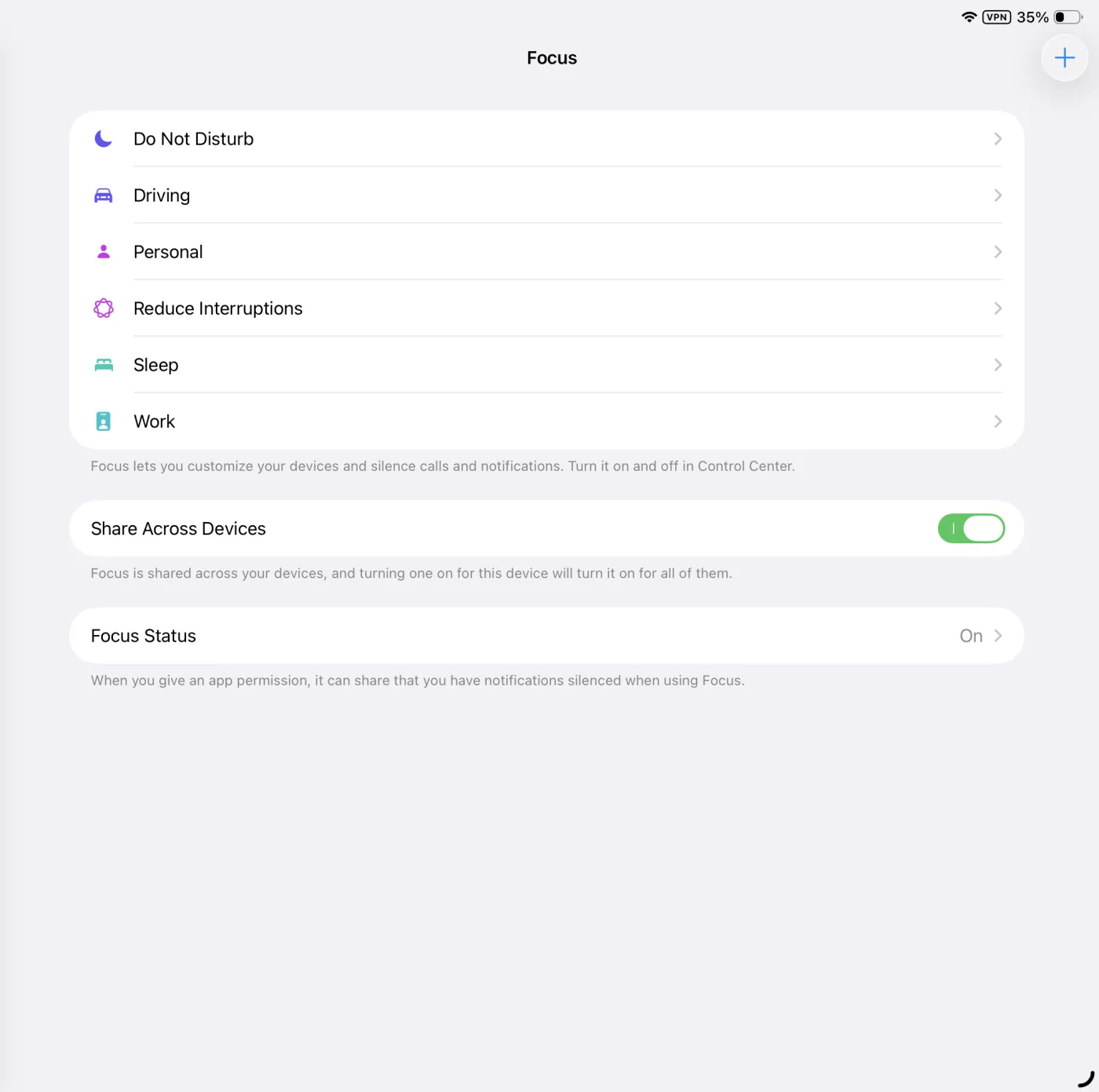
iPad Settings Focus screen listing Do Not Disturb, Driving, Personal, Reduce Interruptions, Sleep and Work.
Screenshot coming — Focus list
Pick Work from the Focus list
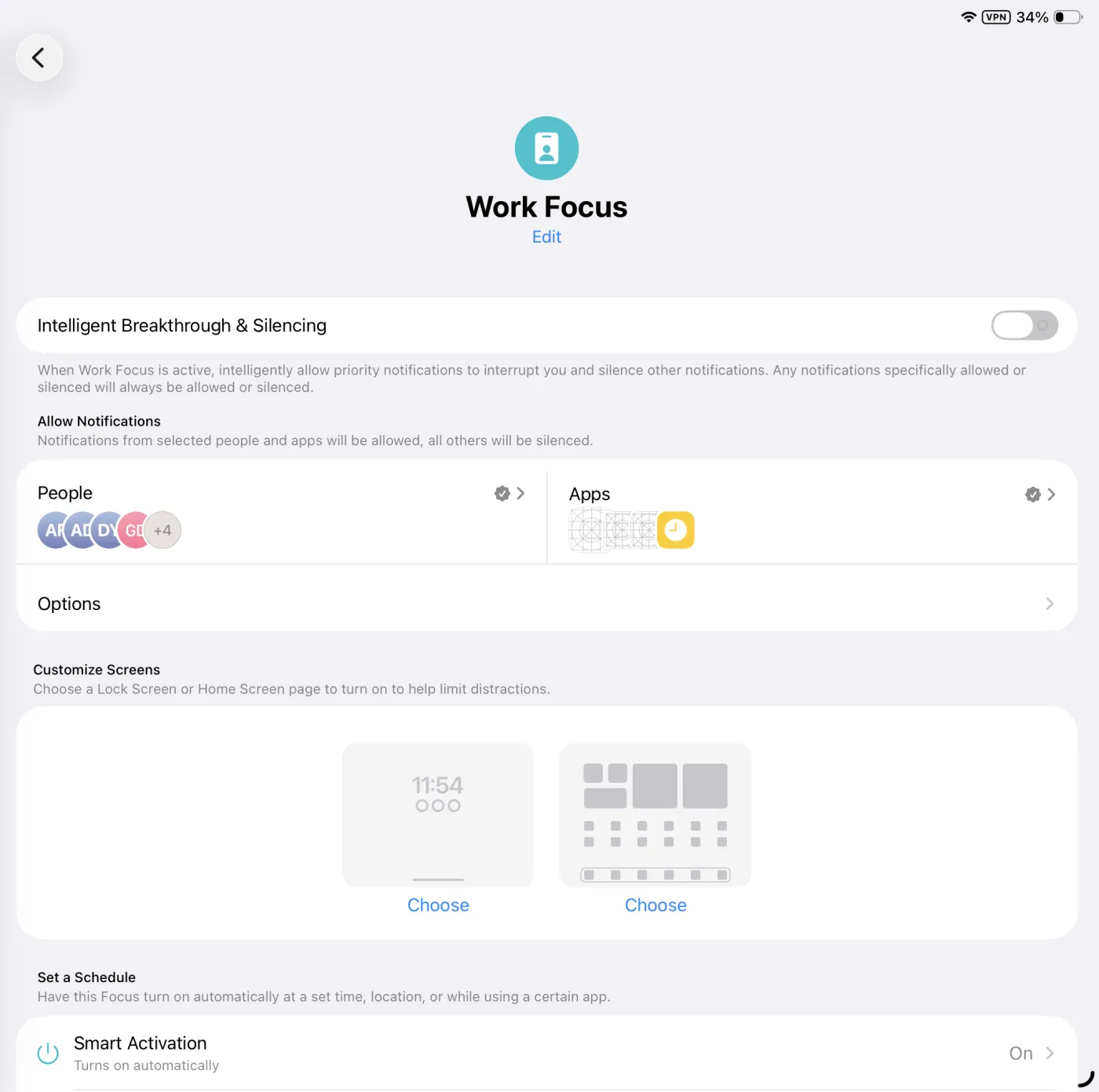
Work Focus detail screen showing the People and Apps allow lists and Smart Activation set to On.
Screenshot coming — Work Focus detail
Check who and what is allowed
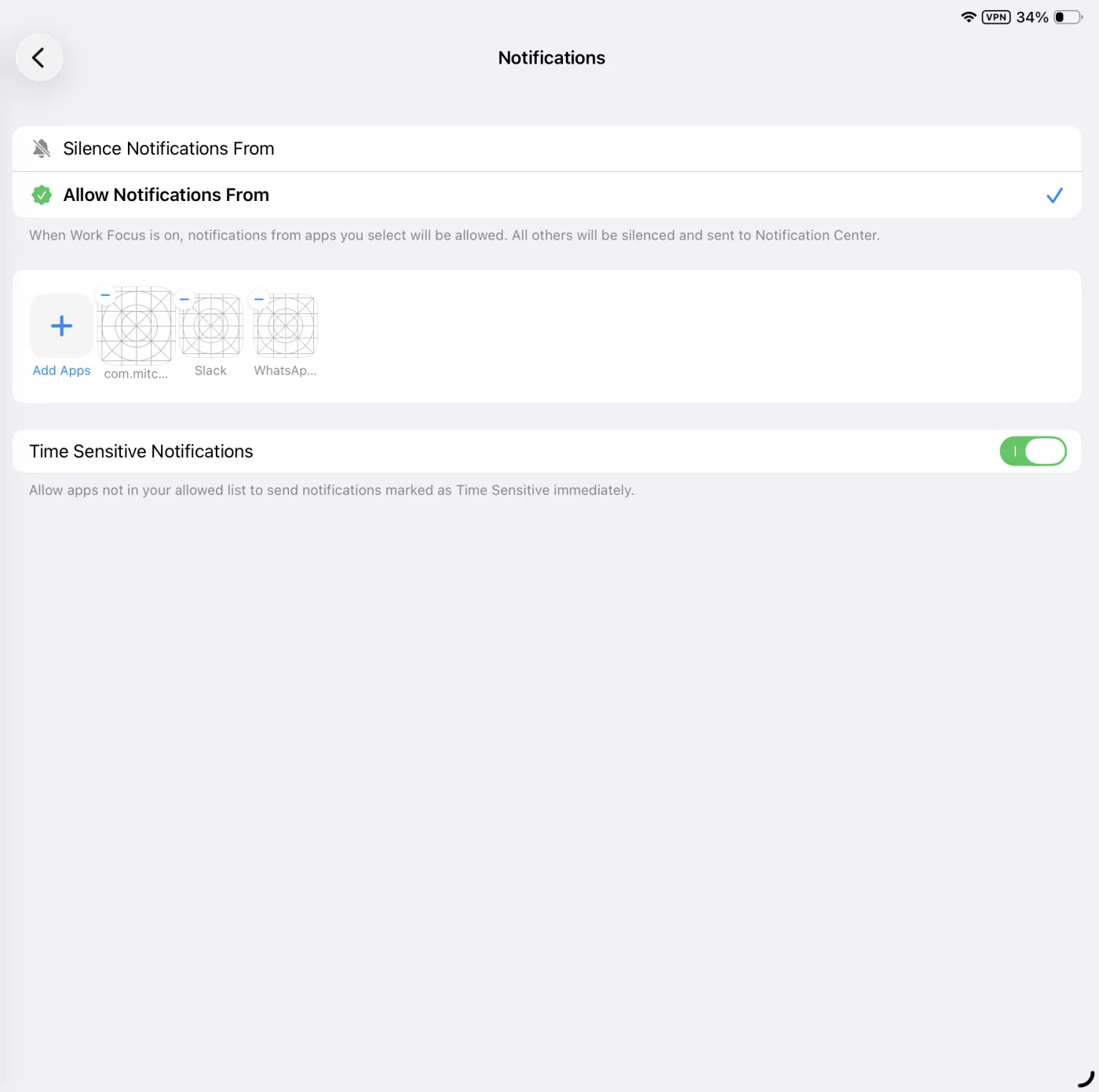
Work Focus notifications screen with Allow Notifications From selected, three allowed apps, and Time Sensitive Notifications turned on.
Screenshot coming — Work Focus allowed apps
Fewest apps possible — Time Sensitive stays on

Incoming calls are the number-one recording killer — allow as few people as possible.

Allow the microphone.

Path: Settings Apps PristineConsult
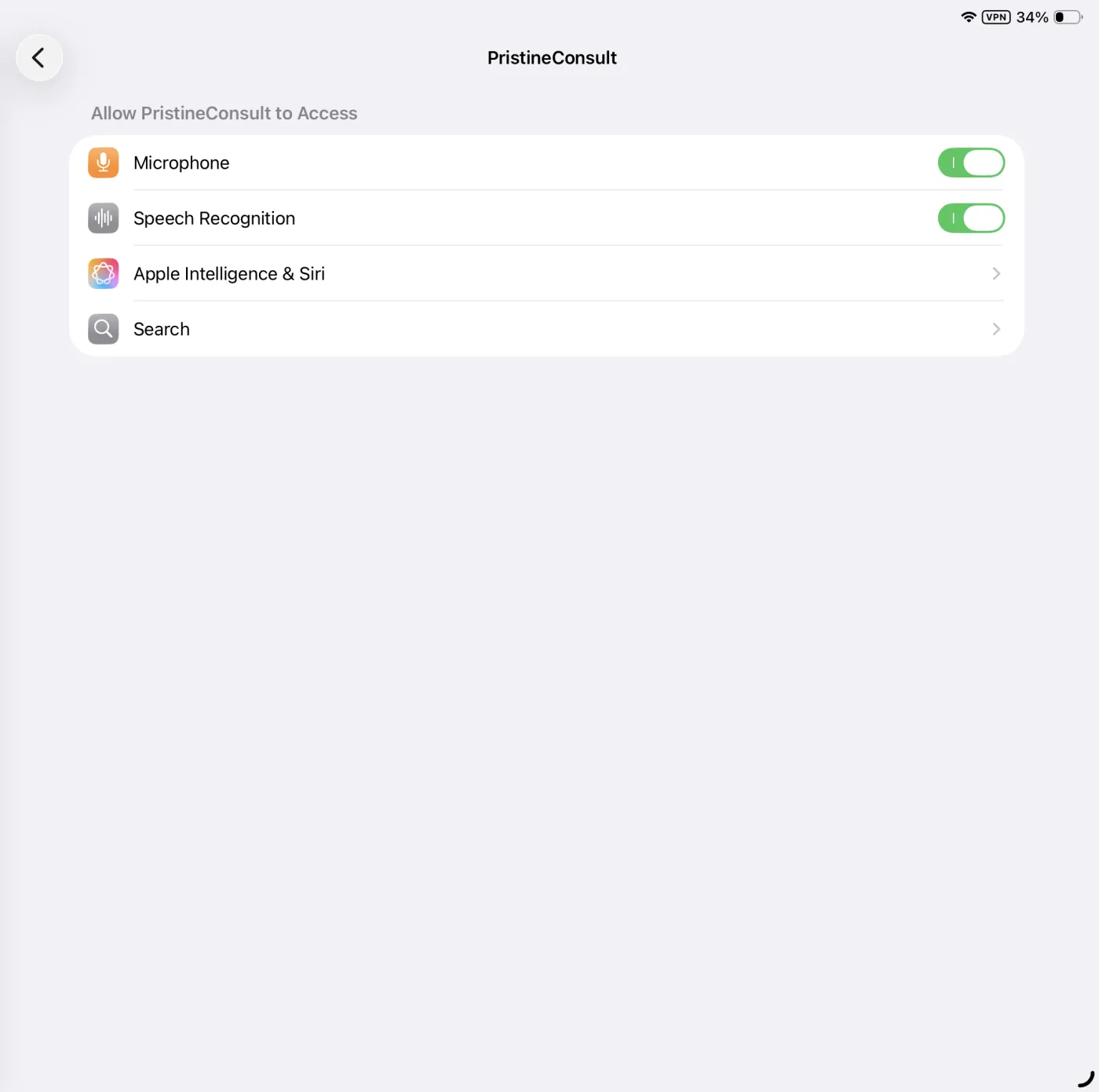
PristineConsult app settings with Microphone and Speech Recognition both turned on.
Screenshot coming — Allow the microphone

Microphone AND Speech Recognition must both be ON or nothing records.

Turn OFF Low Power Mode.

Path: Settings Battery
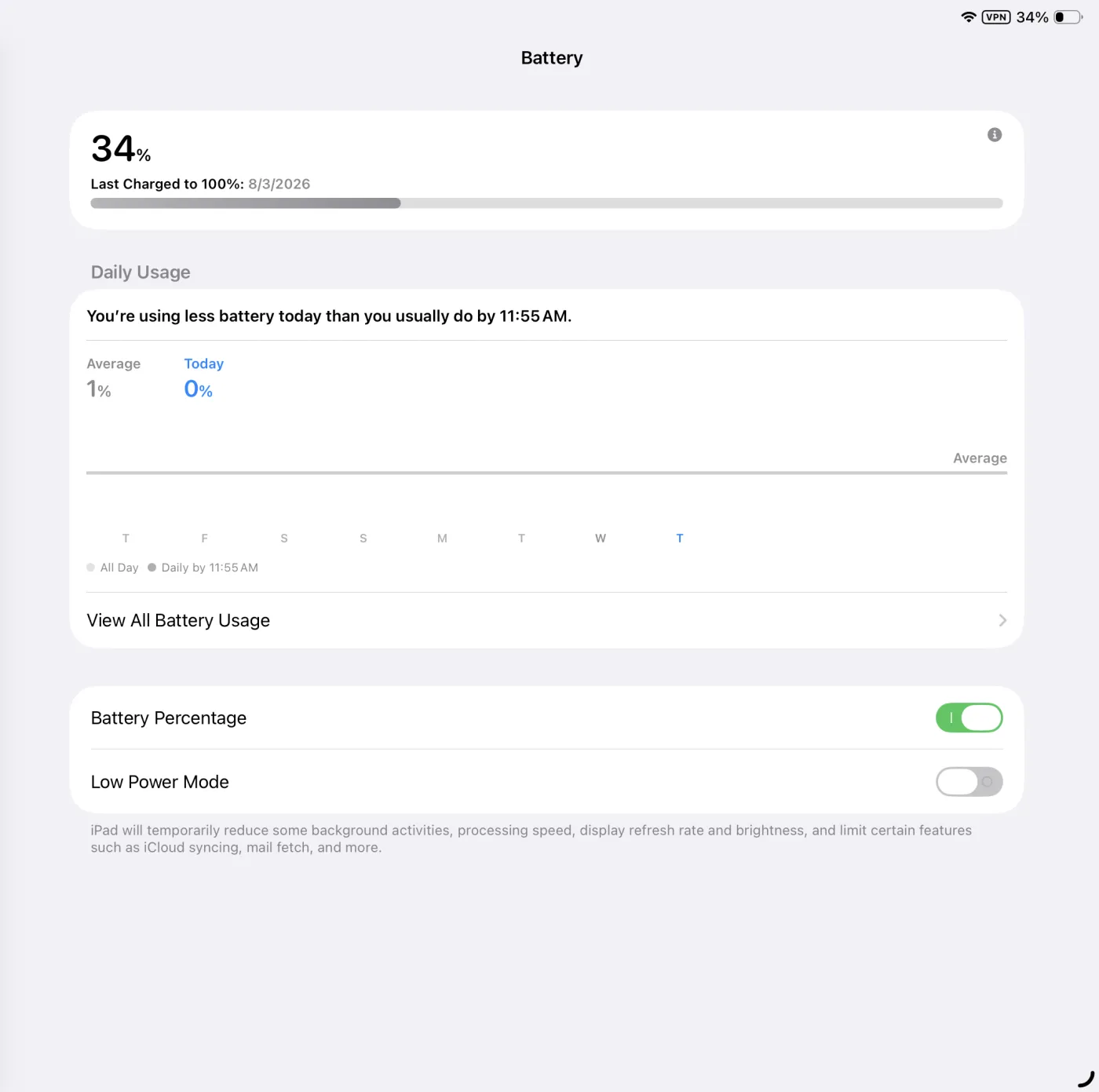
Battery settings with the Low Power Mode switch turned off.
Screenshot coming — Turn OFF Low Power Mode

Low Power Mode throttles recording in the background.

Turn off “Hey Siri”.

Path: Settings Apple Intelligence & Siri Talk to Siri Off
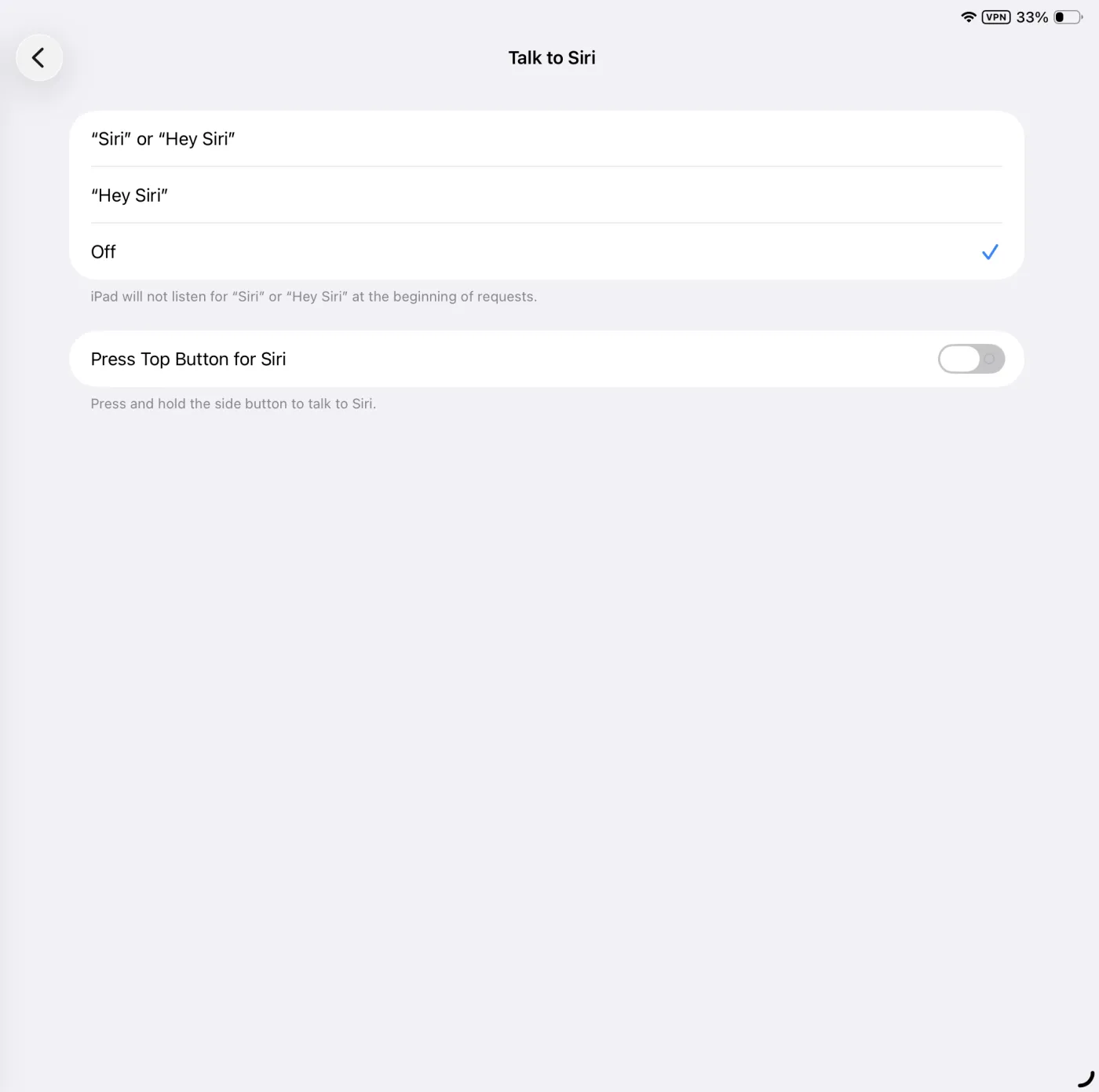
Talk to Siri screen with the Off option checked.
Screenshot coming — Turn off Hey Siri

An accidental Siri grabs the microphone mid-consult.

Keep several GB free.

Path: Settings General iPad Storage
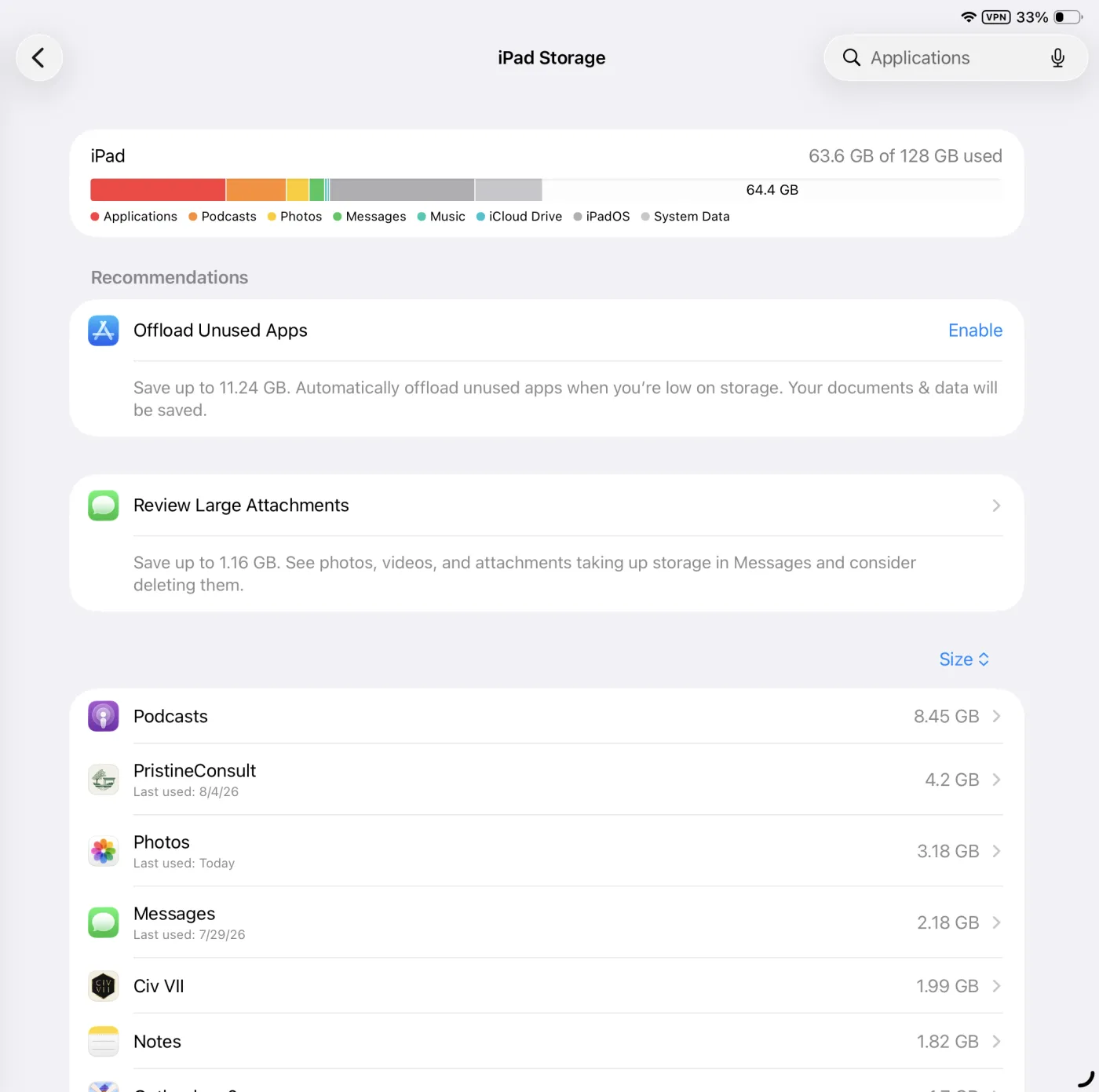
iPad Storage screen showing 63.6 GB of 128 GB used.
Screenshot coming — Keep several GB free

iPadOS purges files when storage runs critically low.

Background App Refresh ON for PristineConsult.

Path: Settings General Background App Refresh
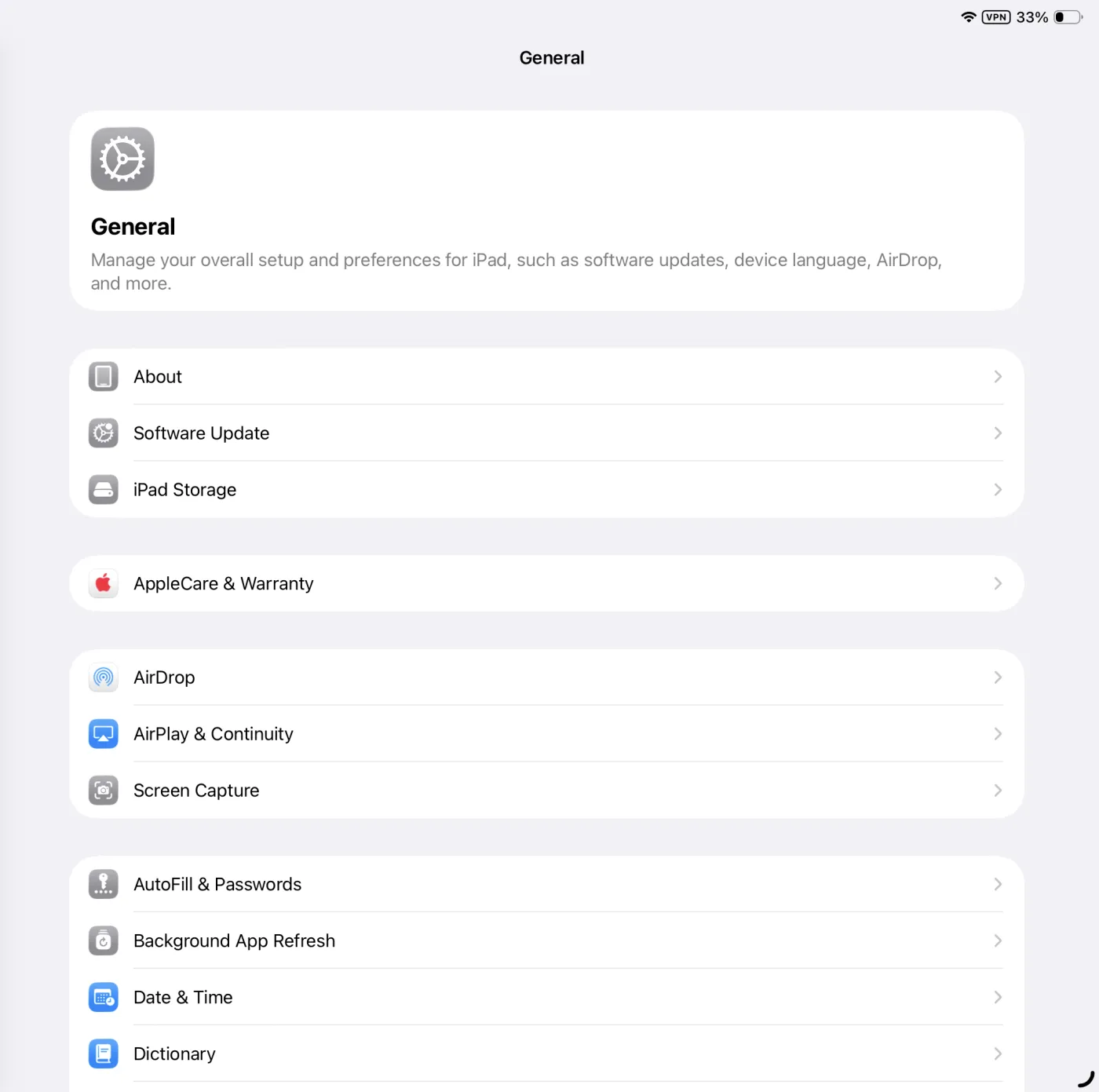
Settings General page showing the Background App Refresh row.
Screenshot coming — Background App Refresh ON
Partway down General — set PristineConsult to ON.

Lets uploads finish after you leave the app.

Open PristineConsult — it must launch.

Path: TestFlight PristineConsult Automatic Updates ON

TestFlight builds expire after 90 days — an expired build won’t open, and you find out in the client’s driveway.

Check all seven to finish.

iPad ready. Press record.